What's new on iPhone

Every update to Gratitude on iPhone, newest first.

6.0.3

A corkboard vision board, and drafts that save themselves

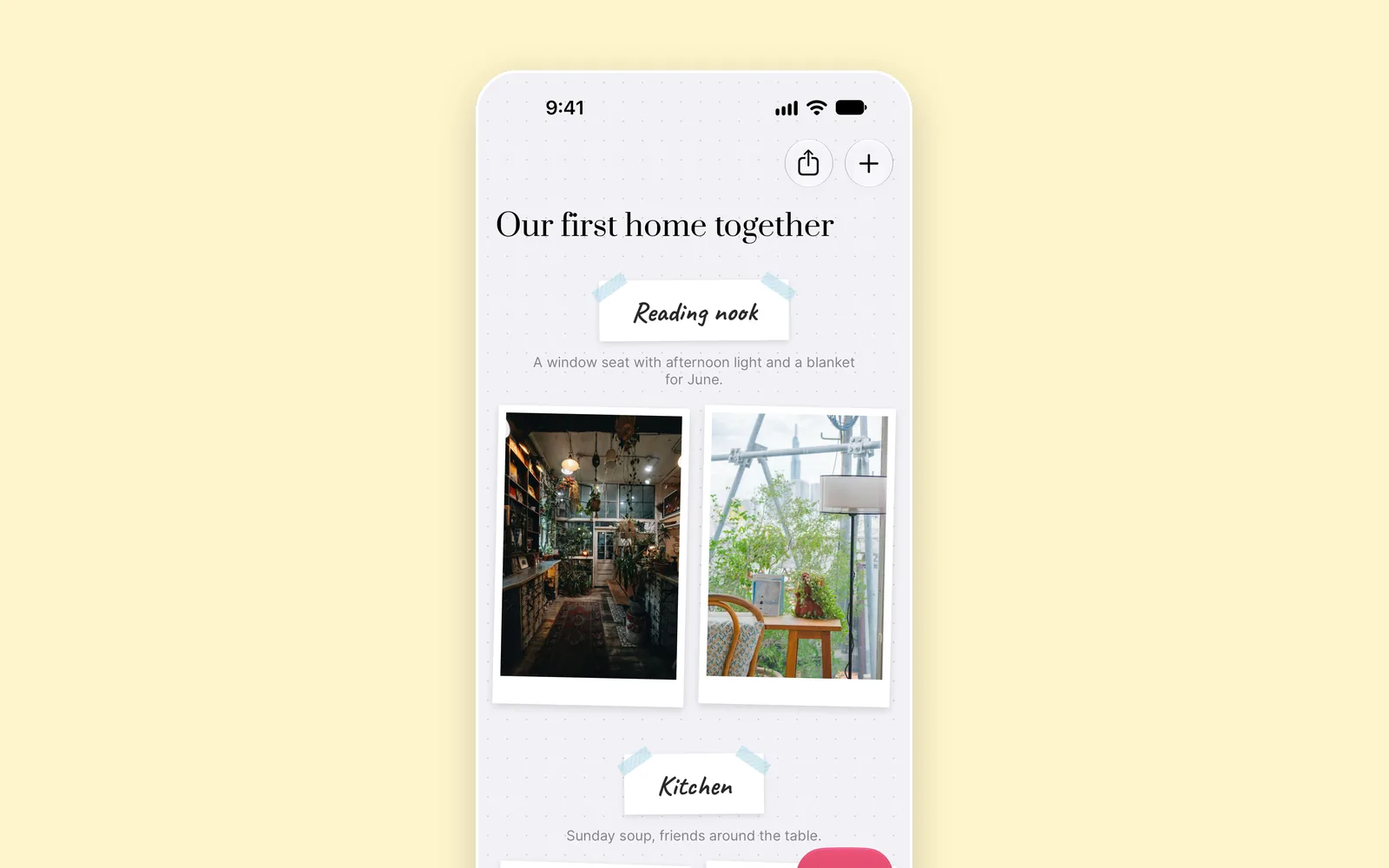
The new corkboard vision board on iPhone, with photos as polaroids under a pinned Reading nook note

Your vision board now looks like a real corkboard, and an entry you're writing is saved as you go.

  • A new vision board: photos as polaroids and section titles on pinned notes. Drag to rearrange, swipe through your photos, and make a Printable Kit to print and pin up.
  • Your writing is saved as a draft as you go, so closing the app no longer loses it.
  • Restoring from Google Drive no longer adds a second copy of an entry's photos and voice note.
  • Entries moved to Recently Deleted stay there, and an entry keeps its recipient when you edit it.
  • iCloud shows as paused, not as an error, when iCloud is off on your iPhone.
  • Fixes for crashes in affirmations, vision boards and challenges, and a smoother journal list.

6.0.2

Download your journal as a book

Turn your entries into a PDF book, share any entry as a card, and bring back entries from older backups.

  • Download Your Journal: a PDF book of your entries, with your choice of dates, cover and title. Find it in Settings.
  • Share any entry as a card in your page's style, with every word and photo, to WhatsApp, Instagram Stories or Messages.
  • Save a single day as a PDF from your streak calendar, free for everyone.
  • Older Backups in Settings looks through earlier Google Drive backups and brings back entries missing from this device, with their photos and voice notes.
  • Remove your default page style any time, and Random colours now pick from a bright pastel wheel.

  • Neater ruled pages, prompts and photos.

6.0.1

Faster iCloud backup

iCloud backup and restore are faster and more reliable.

  • Deleting an entry now removes it on all your devices.
  • Photos and voice notes stay with restored entries.
  • Journal backgrounds load faster and work offline.

6.0

Courses, and a journal that looks like yours

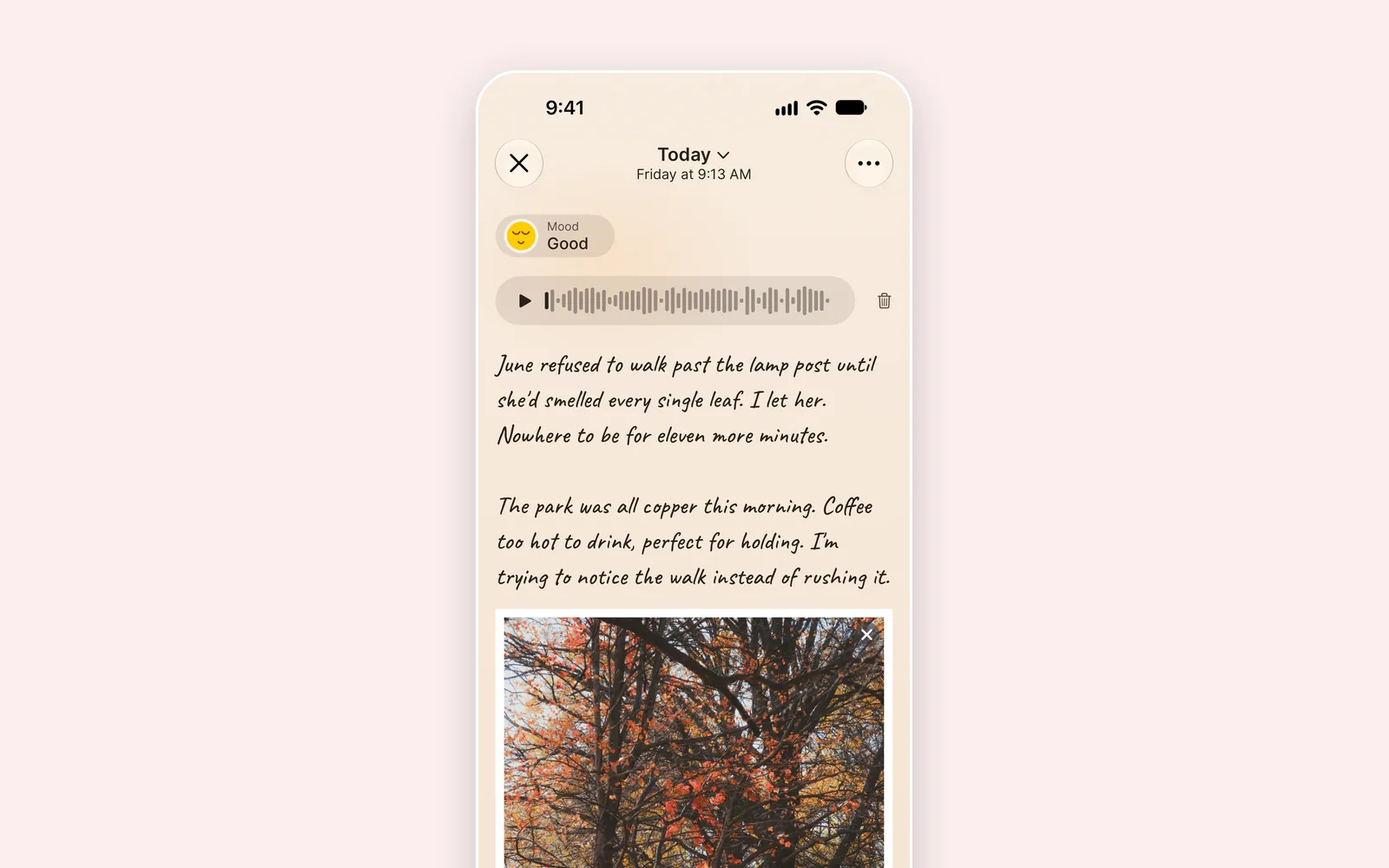
A journal entry on a ruled paper page, with a voice note and a photo of autumn trees

Guided courses you can take at your own pace, and backgrounds, colours and fonts for your journal.

  • Guided Courses with short lessons you can follow at your own pace.
  • Make your journal your own with backgrounds, colours and fonts.
  • Performance improvements and bug fixes.

5.8 – 5.8.3

Gratitude with Siri

Write down a grateful moment or listen to affirmations by asking Siri.

  • Ask Siri to capture a grateful moment or play your affirmations, on iOS 27.
  • The first guided Courses arrived in 5.8.3.

5.6.9 – 5.7.9

The Gratitude Worksheet and a new Daily Zen

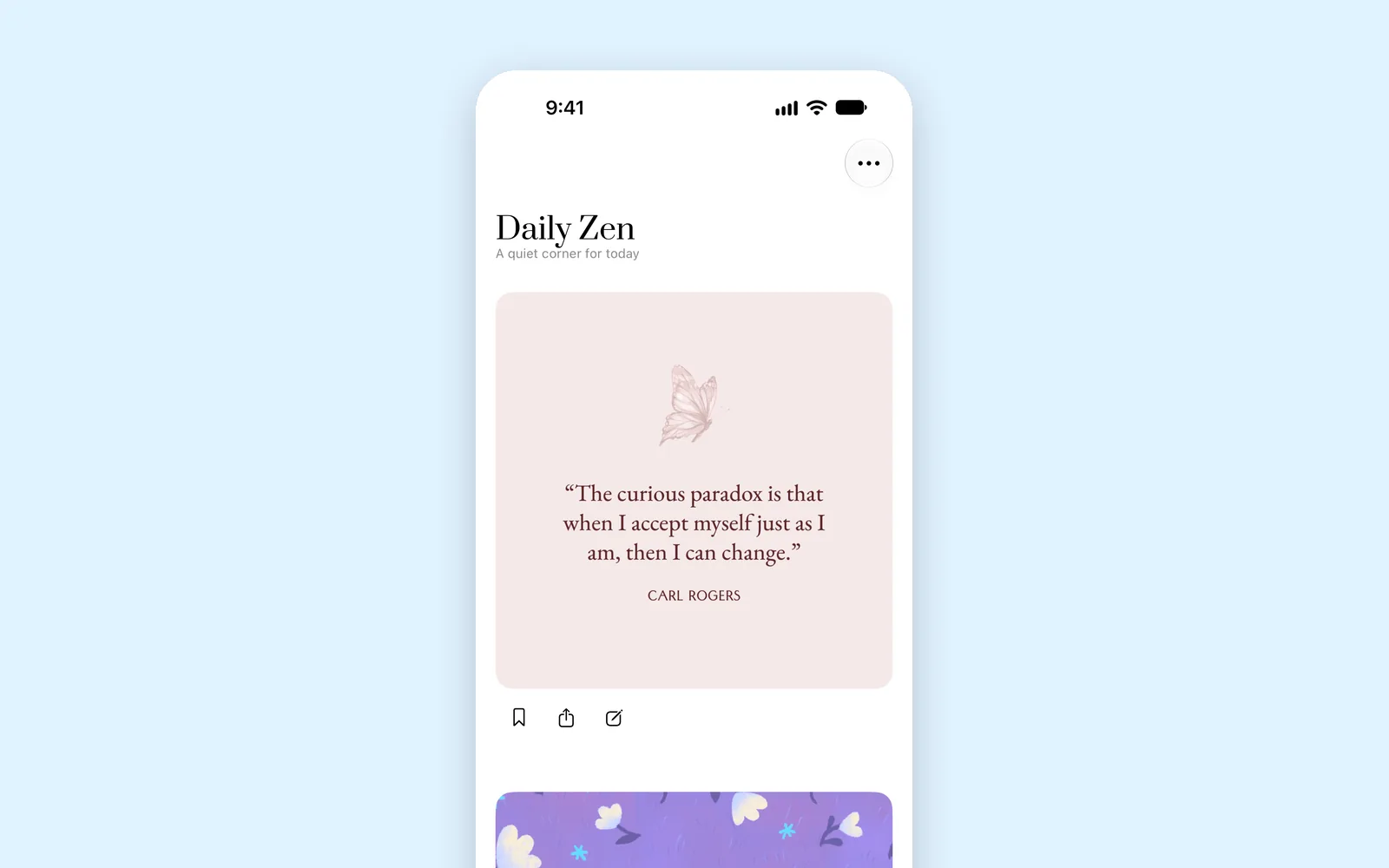
The redesigned Daily Zen screen on iPhone, with a quote by Carl Rogers

A redesigned Daily Zen, a new Gratitude Worksheet, and steady stability work through the summer.

  • A new Gratitude Worksheet.
  • A redesigned Daily Zen.
  • Daily Zen posts share to Instagram again.

5.6 – 5.6.8

A gentler first day

A new welcome for people opening Gratitude for the first time, and fresh streak icons.

  • A new onboarding experience.
  • Updated streak icons.
  • Fixed challenge progress getting stuck on day 2.

5.5

Recently Deleted and Apple Watch widgets

Deleted entries wait in a recycle bin, and Daily Zen and affirmations come to your Apple Watch.

  • A recycle bin for recently deleted journal entries.
  • Apple Watch widgets for Daily Zen and affirmations.
  • Google Drive backup handles large journals better.
  • Fixed the affirmation widget shuffle and blank rows in the affirmation list.
  • The new entry button label is easier to read with accessibility settings on.

5.4 – 5.4.9

Refreshed challenges

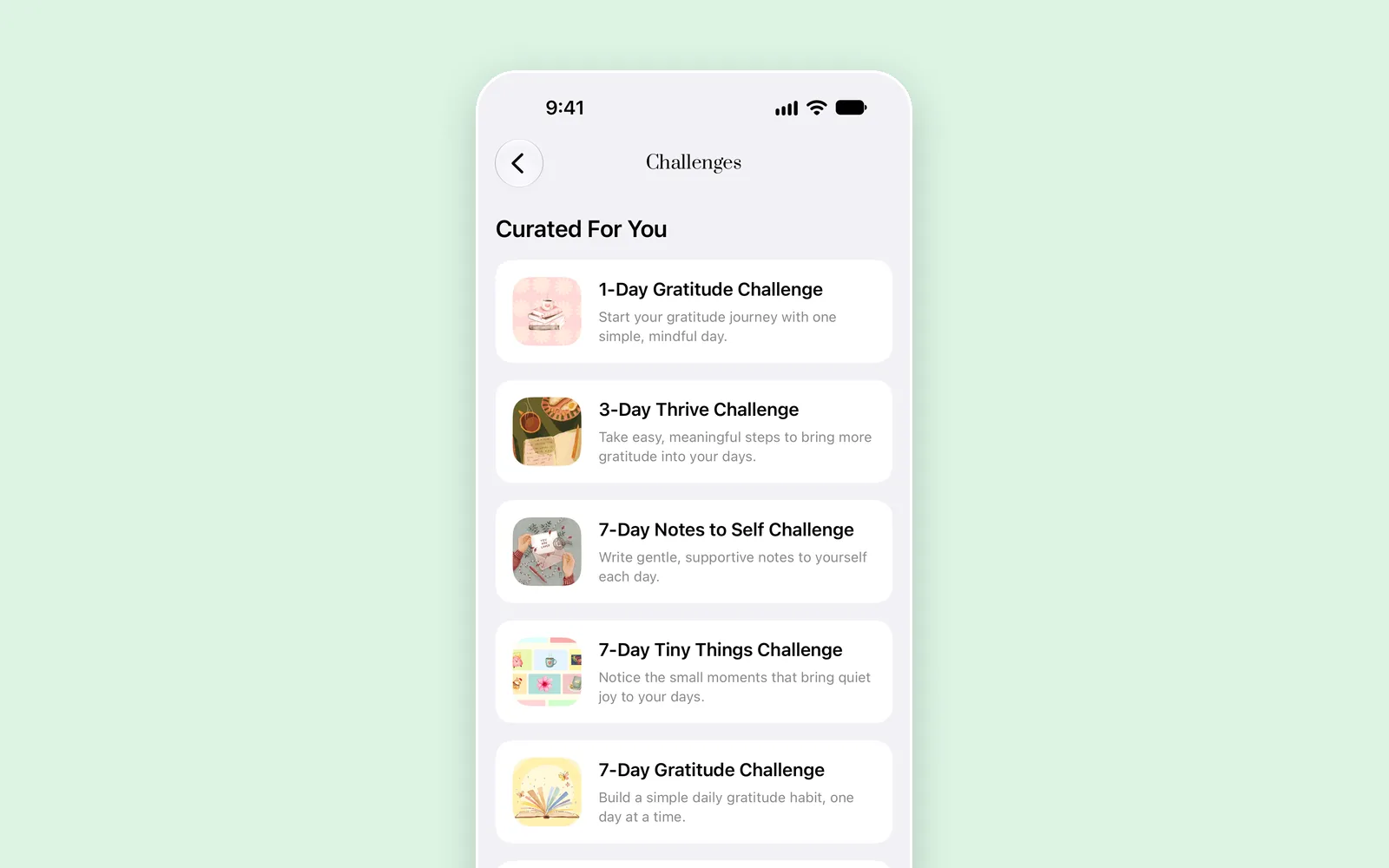
The Challenges screen on iPhone, listing 1-day to 11-day gratitude challenges

A clearer way to track and finish challenges, quick actions on entries, and steadier PDF and ZIP exports.

  • A refreshed way to track and complete challenges, and you can copy challenge examples.
  • Long-press a journal entry to share or delete it.
  • PDF exports show their progress and are more reliable; ZIP import and export are faster.
  • A Streak Saver switch on the reminders screen.
  • Affirmations share again, and keep the text and background colours you chose.
  • Fixed scrolling in long entries with photos, and the 21-day milestone in the 28-day challenge.

5.3 – 5.3.2

New year fixes

Fixes for challenges, Gratitude Rewind and numbered lists, and more reliable reminders.

  • Challenges now complete when you finish every day.
  • Gratitude Rewind shows the right year.
  • Numbered lists carry on when you edit an entry.
  • Notifications arrive more reliably.

5.2 – 5.2.4

Streak Revive and Rewind 2025

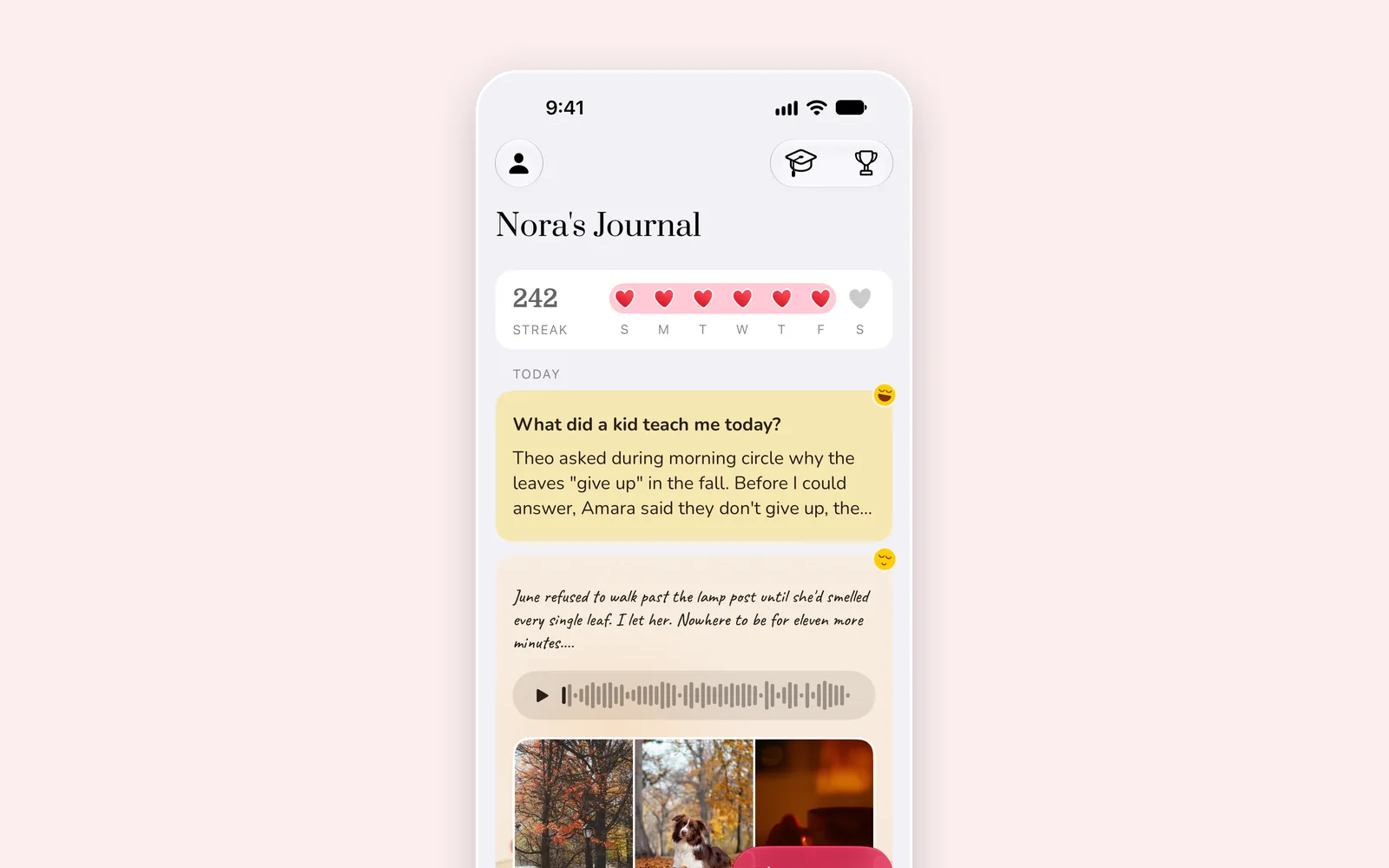
The journal home with a 242-day streak, an entry with a voice note waveform and photos

Fill in a missed day to keep your streak, see your year in Rewind, and a cleaner journal home.

  • Streak Revive: tap + on a past day in your streak to add an entry for it.
  • Nudge cards that help you catch up on missed entries, and a Streak Saver reminder.
  • Gratitude Rewind 2025, from 1 December.
  • Waveforms for voice recordings, refreshed mood emojis and new journal cards.
  • Portrait photos centre on faces in your journal cards.
  • Share your own Daily Zen story from the app.
  • Dotted bullet lists in entries, and list-style affirmation sections.
  • Vision board suggestions for 2026.

5.1 – 5.1.3

Affirmations that keep playing

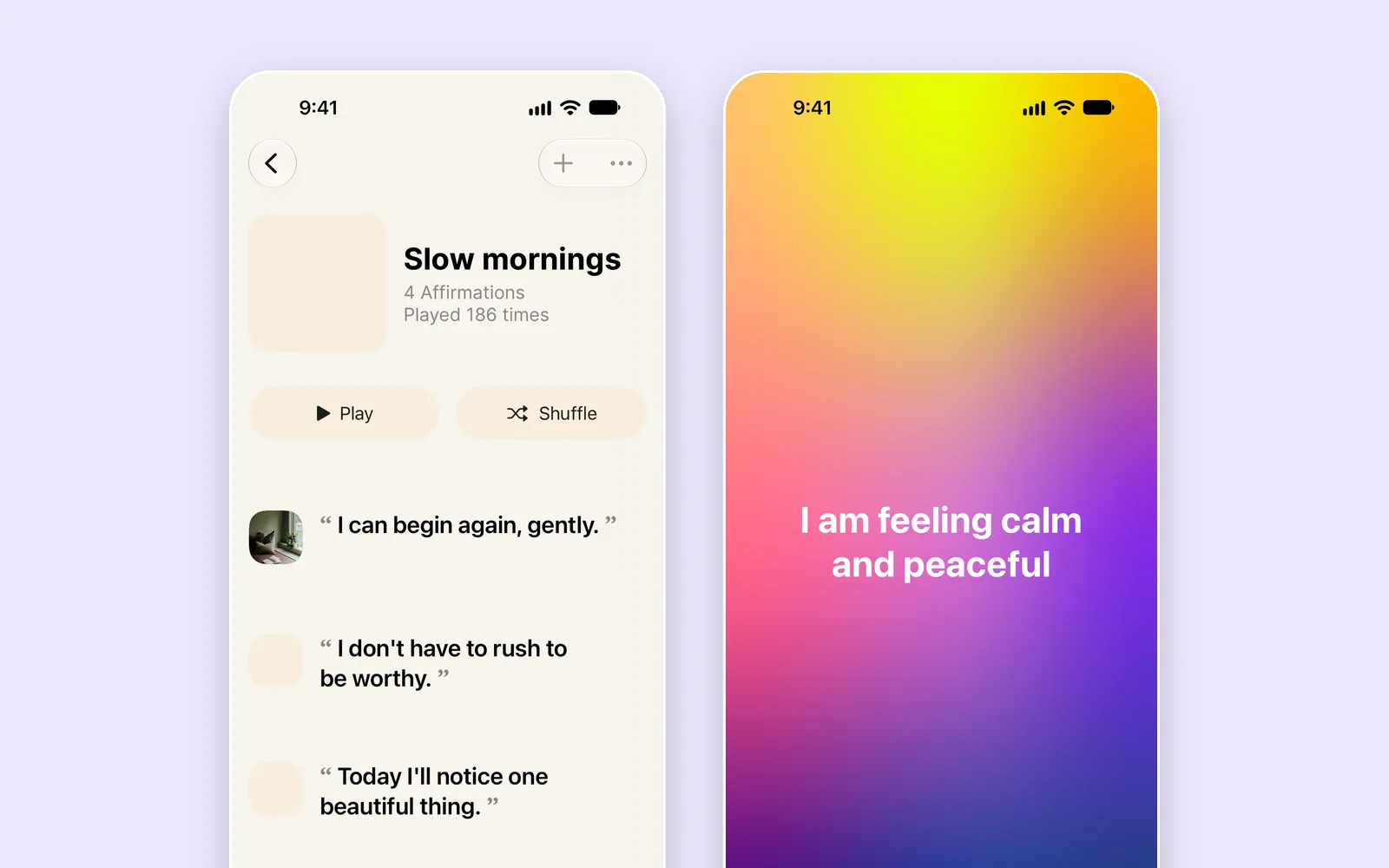
An affirmation folder called Slow mornings, next to the affirmation player on an animated gradient

Listen to affirmations in the background, pick folders for your widget, and see your streak at a glance.

  • Affirmations keep playing in the background, over an animated gradient.
  • Choose which affirmation folders show in your widget.
  • Your streak on the journal home screen, with calmer journal colours.
  • Fixed a crash after saving an entry on iOS 18, and text overlapping while you type.

5.0 – 5.0.2

Liquid Glass and Apple Intelligence

A Liquid Glass design for iOS 26, with affirmations and a weekly review made for you on your device.

  • Liquid Glass design for iOS 26.
  • A personal affirmation for every journal entry, powered by Apple Intelligence. It all happens on your device.
  • A personal weekly review to help you reflect.
  • Stickers when you share a journal entry.

Small updates with fixes only are grouped together. Looking for the Android app? See Android updates.

Get the latest version.

Free on the App Store.

Download on the App Store